


Nvidia’s DLSS 5 promises to push image quality and performance to a new level with advanced neural rendering technology. However, for now, the feature remains officially limited to Nvidia RTX 50-series graphics cards.
Nvidia has previously confirmed that DLSS 5 will eventually arrive on RTX 40-series GPUs, but waiting was not an option for some enthusiasts. Curious about how the technology would handle an anime-style game, I decided to experiment and apply DLSS 5 to one of my favorite titles: Hatsune Miku: Project Diva Mega Mix+.
The results were fascinating — but not exactly what I expected.
Getting DLSS 5 Running on an RTX 4070 Super
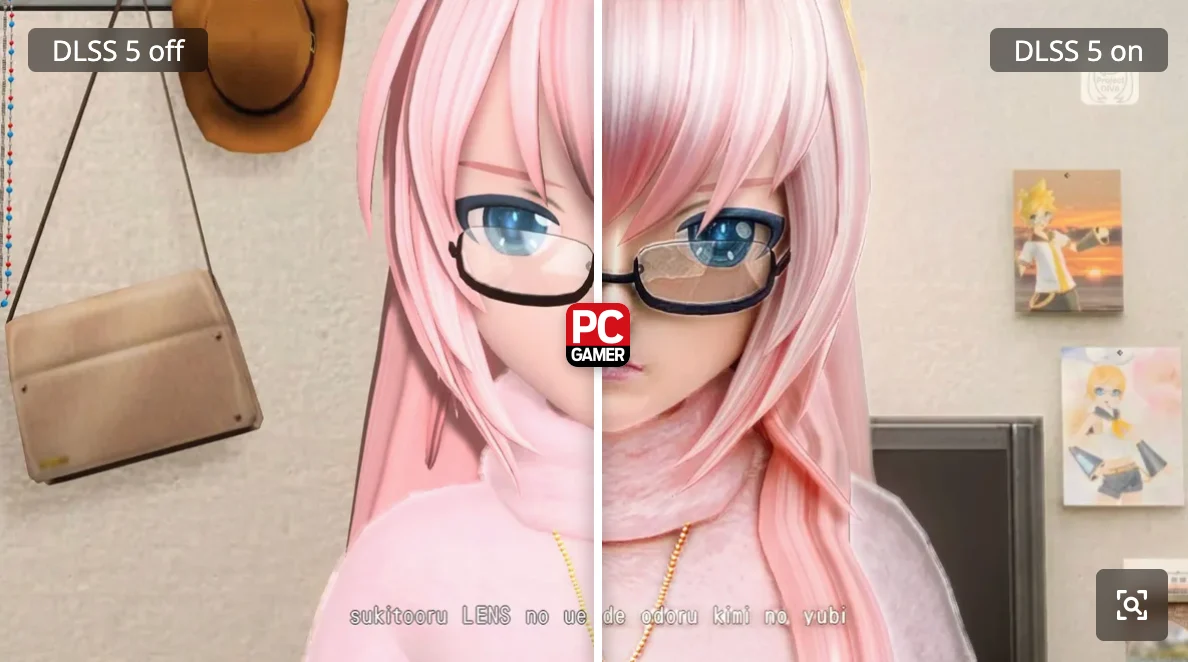
Officially, DLSS 5 does not support the RTX 4070 Super yet. The only way to test it on this hardware is through unofficial methods.
After searching for the required files and tools, I used DLSS 5 Manager, a community-made utility that simplifies the installation process and allows users to experiment with Nvidia’s latest neural rendering features.
The main feature I focused on was Live Flow, an adjustable setting designed to apply DLSS 5 processing in real time.
Test Setup
| Component | Details |
|---|---|
| Graphics card | Nvidia RTX 4070 Super |
| Game | Hatsune Miku: Project Diva Mega Mix+ |
| DLSS Tool | DLSS 5 Manager |
| Feature tested | Live Flow neural rendering |
| GPU support | Unofficial implementation |
Why Hatsune Miku Was the Perfect (and Worst) Test
For this unusual experiment, I chose Hatsune Miku: Project Diva Mega Mix+.
The game features a colorful anime-inspired visual style with stylized characters, bright effects, and highly detailed music videos. In theory, it sounds like an interesting challenge for AI-powered rendering.
However, it is also exactly the type of game where DLSS 5 might struggle.
Neural rendering technologies are usually designed for realistic 3D environments, complex lighting, and physically accurate textures. Applying them to an anime-style game creates a completely different situation.
Still, curiosity won.
Before enabling DLSS 5, the game already performed well. It maintained a stable 60 FPS in most situations, although performance could vary depending on the song, visual effects, and the number of elements displayed on screen.
For experienced Project Diva players, these differences are noticeable — especially during the most demanding tracks.
DLSS 5 Changed Everything — But Not in a Good Way
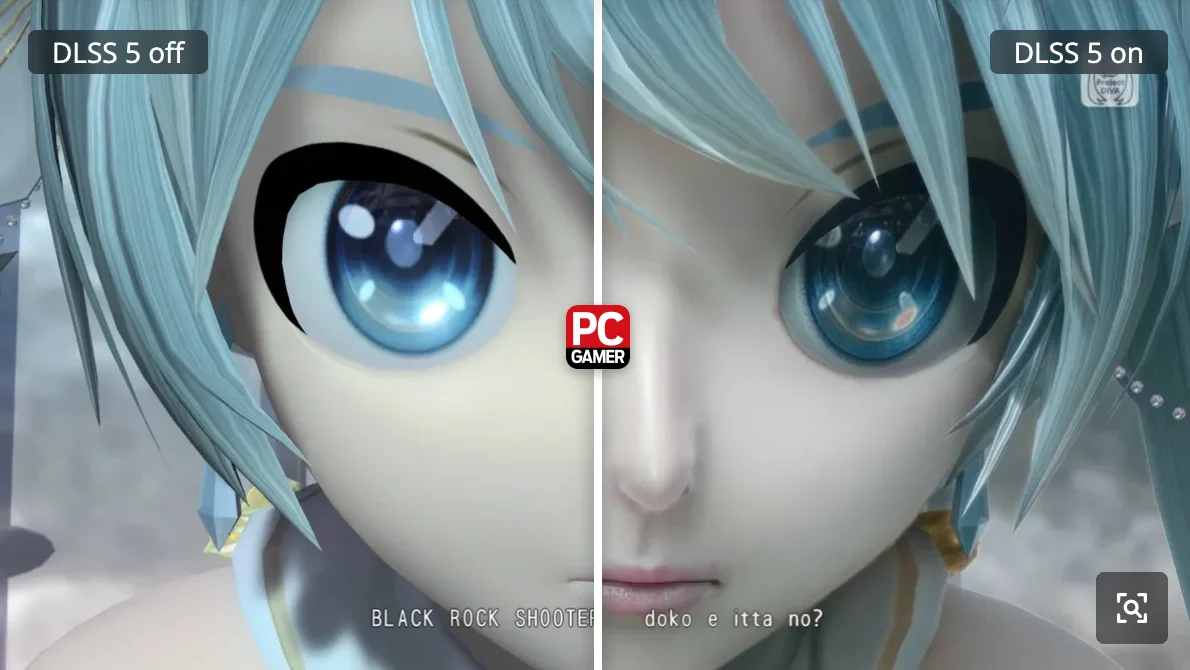
After enabling Live Flow, the results were immediately noticeable.
Unfortunately, the biggest change was not improved visuals — it was the performance hit.
The frame rate dropped dramatically, making precise rhythm gameplay almost impossible. Since Project Diva relies heavily on accurate timing, even small performance issues can completely ruin the experience.
| Before DLSS 5 | After DLSS 5 Live Flow |
|---|---|
| Stable 60 FPS gameplay | Significant FPS drops |
| Smooth rhythm controls | Input timing became unreliable |
| Normal visual experience | Heavy neural processing impact |
For a rhythm game where every button press matters, this was a serious problem.
Exploring DLSS 5 Without Gameplay Restrictions
Luckily, Project Diva Mega Mix+ includes a feature that allows players to watch music videos without actually playing the rhythm sections.
Instead of testing only during gameplay, I switched to the game’s Custom Playlists mode. This allowed me to create a sequence of music videos and observe how DLSS 5 handled the visuals without worrying about missed notes or timing issues.
And that is where things became much more interesting.
Entering the World of Neural Rendering Experiments
Once DLSS 5 was running on the game’s music videos, the results were both impressive and strange.
The technology created noticeable changes in how scenes were processed. Some details appeared sharper, while others looked unnatural due to the AI-based rendering approach.
The experiment showed that even powerful neural rendering technologies are not universally perfect. The way DLSS 5 interprets images depends heavily on the source material, and anime-style visuals can create unexpected results.
Final Thoughts
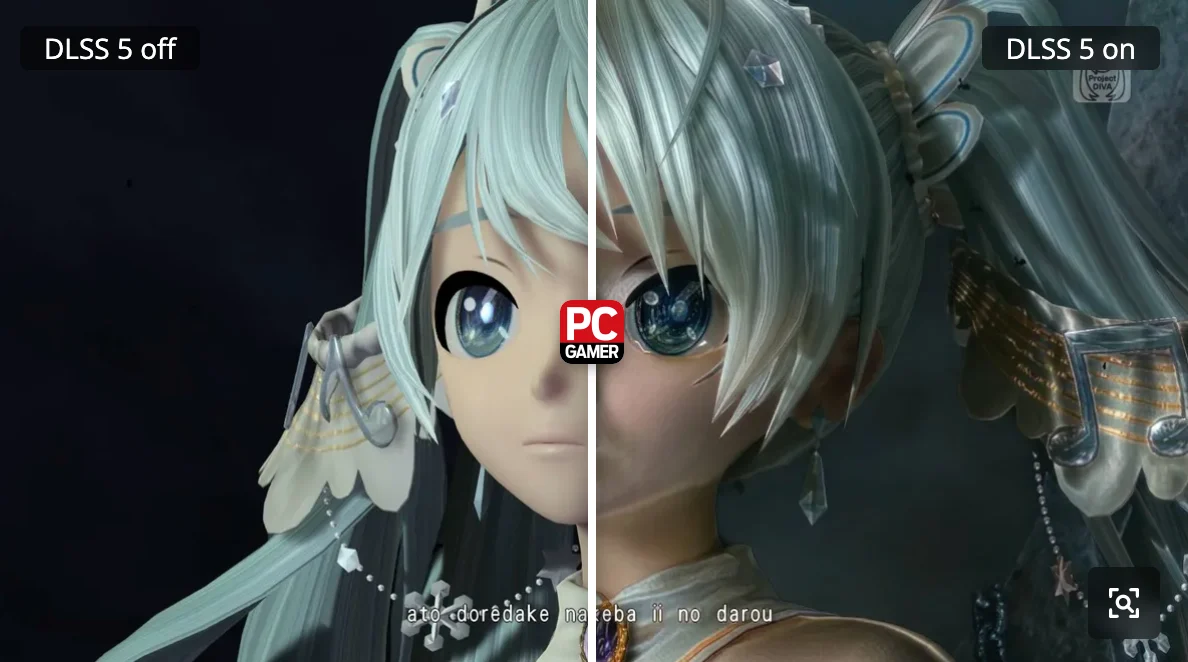
Testing DLSS 5 on Hatsune Miku: Project Diva Mega Mix+ was an interesting experiment, but it also highlighted the limitations of using cutting-edge technology outside its intended environment.
The biggest problems were:
- Performance degradation during real-time gameplay.
- Poor compatibility with rhythm mechanics where timing is critical.
- Unpredictable visual changes caused by applying neural rendering to an anime-style game.
DLSS 5 may eventually become an incredible upgrade for supported games and hardware. However, this test proved that newer technology does not automatically mean a better experience in every scenario.
Sometimes, the best-looking solution is still the one designed specifically for the game you are playing.